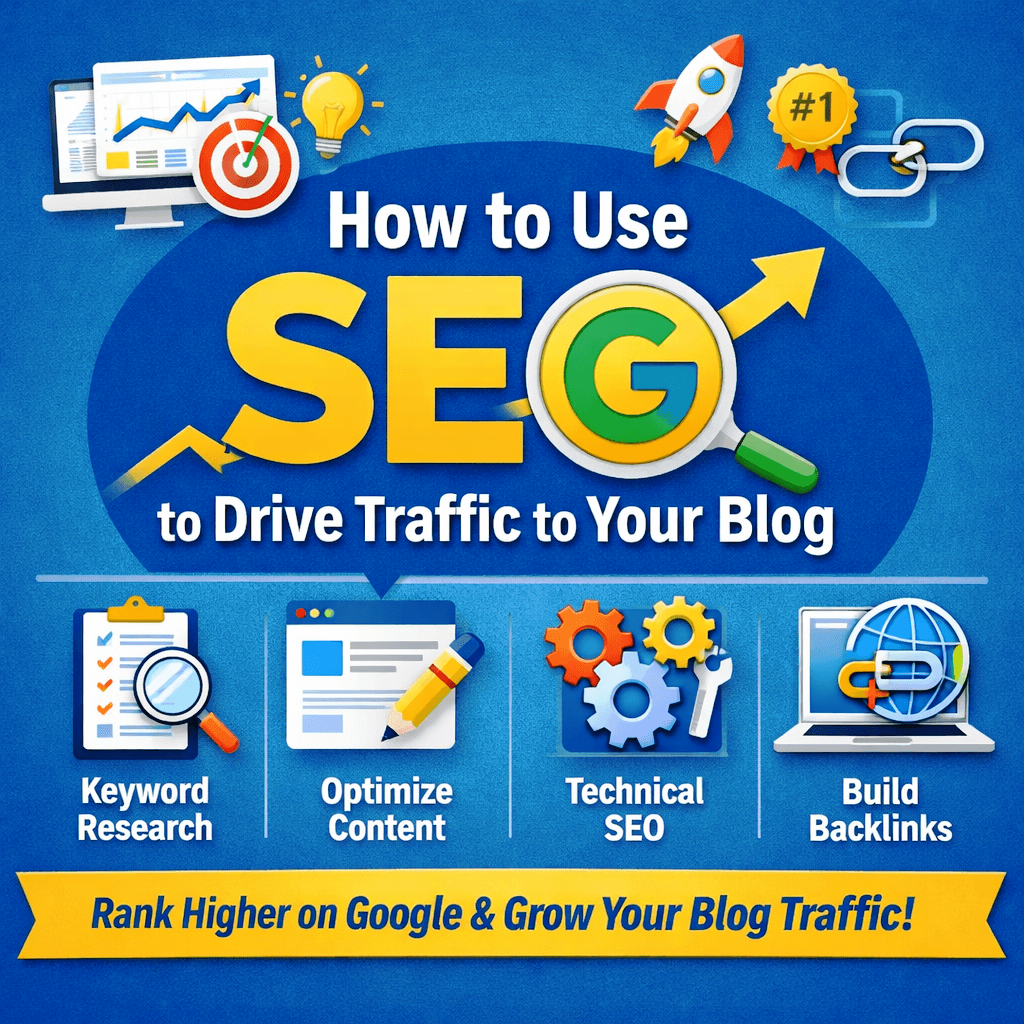
Search Engine Optimization (SEO) means tailoring your blog content so it ranks higher in search engines like Google. In practice, SEO is a marketing strategy to rank higher in Google’s search results, which leads to more visibility for your blog. Unlike paid ads, organic search traffic is essentially “free” as one guide puts it, “the traffic you earn is free,” whereas paid advertising charges per click. This matters a lot: studies show about 53% of all web traffic comes from organic search. In short, most readers find blogs via Google, so good SEO is essential for increasing traffic.
Why SEO matters for bloggers
With strong SEO, your posts appear higher when potential readers search topics you cover. Higher rankings drive clicks and visits: for example, being in the top Google results can dramatically boost visitors, since the first result alone gets roughly 28 to 29% of clicks. By contrast, poorly-optimized posts may never get seen. In this guide we’ll cover the fundamentals bloggers need: on-page tactics, technical factors, off-page strategies, content quality, useful tools, and common mistakes to avoid. Each section offers actionable tip you can apply to improve your blog’s Google rankings and organic traffic.
On-Page SEO Fundamentals
On-page SEO refers to everything you can do within your blog posts and site to help Google understand and rank your content. Key elements include keyword research, title tags and meta descriptions, headers and content structure, internal links, and overall content optimization. Follow these steps when writing or updating each post:
1. Keyword Research
Find the actual search terms your audience uses. This means identifying the keywords or phrases people type into Google. Keyword research helps you choose topics readers are actively looking for. For example, use tools like Google Keyword Planner to discover new keywords and see search volume estimates. You can also use paid tools (Ahrefs, SEMrush, Ubersuggest) to analyze competitor blogs: just enter a competitor’s URL and see what keywords they rank for. Aim to target a mix of broad and long-tail keywords (longer, specific phrases), focusing on those with reasonable search volume and user intent. A tip: start by listing 3 to 5 primary and related secondary keywords for each post so you cover different ways readers might search for the topic.
2. Title Tags & Meta Descriptions
These are the snippets Google shows in search results. Craft unique, keyword-rich title tags for each post. Keep titles around 50 to 60 characters so Google doesn’t truncate them. Place your primary keyword near the beginning of the title, and then add a concise description or your blog name. Example: “How to Use SEO to Drive Traffic to Your Blog | MyBlogName.” Meta descriptions (the summary line) should be about 140 to 155 characters and written like ad copy: highlight the post’s benefit, include your keyword, and entice clicks. While Google says meta descriptions don’t directly affect rank, they do influence click-through rates, so use them wisely. Always make sure each page has one clear title and meta; missing or duplicate tags waste a prime SEO opportunity.
3. Headers and Content Structure
Use heading tags (H1, H2, H3, etc.) to organize your post. Each page should have one H1 tag as the main title (which usually matches your title tag). Use H2 and H3 tags for subheadings that break up sections by topic. This helps both readers and Google quickly scan your page. For example, an SEO checklist blog might have H2s like “Keyword Research” and “Technical SEO Basics.” Within each section, keep paragraphs short (1 to 3 sentences) and use bullet points or numbered lists for clarity. A Search Engine Land guide recommends: “Break your content into shorter paragraphs (one to three sentences is ideal). Use clear subheadings so readers can quickly find what they need”. Well-structured content is more engaging and easier for search engines to understand.
4. Content Optimization
Write comprehensive, high-quality content that fully answers the reader’s question. Search engines prioritize relevant, helpful content. Use your main keyword naturally in the first paragraph, in at least one subheading, and sparingly throughout the text. Don’t force keywords Google’s algorithms now detect and penalize keyword stuffing. Instead, focus on covering the topic in depth. Include related terms and synonyms (LSI keywords) to reinforce the subject. For example, an article about dog training should also mention related phrases like “obedience training” or “puppy behavior.” In short, write for readers first: address their search intent thoroughly, and Google will rank you higher.
5. Internal Linking
Link to other relevant posts or pages on your blog. Every time you publish a new post, add links from older posts (and vice versa) where it makes sense. Internal links help distribute authority (PageRank) across your site and assist Google in crawling all your pages. Use descriptive anchor text for links rather than generic phrases. For example, link to your SEO tools page with anchor text “best SEO tools” instead of “click here”. A best practice is to link from high-traffic, popular pages to newer or underperforming posts this can help those new posts get noticed. Overall, a good internal linking strategy keeps readers on your site longer and improves indexation of your content. Putting it together, a quick on-page SEO checklist for each blog post might be:
- Keyword Research: Identify a primary keyword and related terms (using Keyword Planner or other tools).
- Title & Meta: Write a unique title (50 to 60 chars) with the keyword and a compelling 140 to 155 char meta description.
- Headers: Use one H1 and clear H2/H3 subheadings. Short paragraphs and bullet points (readability tips
- Content: Answer the search intent fully; include keywords naturally.
- Internal Links: Link to relevant past posts using descriptive anchors.
Technical SEO Basics
Technical SEO focuses on optimizing your site’s infrastructure so search engines can crawl and index it efficiently. These factors don’t involve content but are crucial for rankings:
Your blog must be mobile-friendly. Google uses the mobile version of your site for indexing (mobile-first indexing). That means your site should use responsive design so it displays properly on smartphones and tablets. Test your blog with Google’s Mobile-Friendly Test and fix any issues (e.g., font too small, buttons too close together). In the image above, notice the bar graph displayed on both a laptop and a smartphone this illustrates the importance of giving mobile users the same content and functionality. A mobile-friendly layout, fast loading, and easy navigation will help you rank better in mobile search.
Specifically, ensure navigation and calls-to-action work on small screens. The example above (two phone screens) shows checkmarks and a clear “BUY NOW” button illustrating how mobile users should see obvious choices and CTAs. In practice, avoid hiding content or links behind mobile menus that Googlebot can’t open. Google’s documentation warns that if your mobile page is missing important content or metadata (like title tags, meta descriptions), mobile-first indexing may suffer. So make sure your mobile and desktop versions share the same titles, meta tags, and content.
1. Site Speed
Page load time is a confirmed ranking factor (especially on mobile). Slow pages frustrate users: over half of visitors will abandon a page taking more than 3 seconds to load. Use Google PageSpeed Insights or Lighthouse to identify speed issues and get optimization suggestions. Common fixes include compressing images, minifying CSS/JavaScript, enabling browser caching, and using a fast hosting provider. For example, a Search Engine Land tip is: “Run a speed test on your site using Google’s PageSpeed Insights” and then implement the recommended fixes. A faster site improves user experience and gives you a slight SEO edge.
2. HTTPS (SSL)
Ensure your blog uses HTTPS (has a valid SSL certificate). Google has confirmed that HTTPS is a lightweight ranking signal. More importantly, HTTPS builds trust with users by encrypting connections. If you’re still on plain HTTP, move your site to HTTPS most hosting providers offer free SSL (e.g. Let’s Encrypt). Once enabled, update all internal links to HTTPS and set up a redirect from HTTP to HTTPS.
3. XML Sitemap
Create and submit an XML sitemap listing all important pages. A sitemap is a roadmap for search engines to discover your content. Most CMS platforms or SEO plugins can auto-generate a sitemap. After you have one (typically at yourblog.com/sitemap.xml), submit it in Google Search Console’s Sitemaps tool. Google’s documentation advises: “Submit a sitemap in Search Console…to see when Googlebot accessed the sitemap”. Regularly check the Sitemaps report to ensure there are no errors. A sitemap doesn’t boost rankings directly, but it helps Google find and index your posts more reliably.
4. Structured Data (Schema)
Use Schema.org markup to help search engines understand your content. For example, mark up blog posts as “Article” with properties like headline, author, and publication date. Note that Google has said structured data “is not a direct ranking factor”. However, schema can enable rich result features (like breadcrumbs, star reviews, FAQs) that make your listing stand out. Neil Patel summarizes: “Schema markup doesn’t directly impact rankings, but it can improve how your pages appear in search by making your content easier to understand”. Rich snippets (star ratings, FAQ boxes, etc.) tend to increase click-through rates. In short, implement schema where appropriate (plugins or JSON-LD generators can help) so your blog can qualify for enhanced search features.
Off-Page SEO Strategies
Off-page SEO means improving your blog’s authority and reputation on the wider web. The main focus here is earning high-quality backlinks (links from other sites to yours) and social signals. Key strategies include:
1. Link-Worthy Content
Create content people want to share and link to. Original research, data studies, useful infographics, and in-depth guides are prime examples. If your blog publishes a survey or a unique analysis, other sites (news outlets, niche blogs) are more likely to cite it. For instance, Straight North advises: “Content formats that naturally attract backlinks include original research and data… in-depth guides… [and] infographics”. Always strive for content that offers new value this is the best way to earn links organically.
2. Guest Posting & Outreach
Reach out to other bloggers or websites in your niche and offer to write a guest post. When done right, guest blogging benefits everyone: you provide free valuable content, and the host site gets expert material. In return, you include a natural backlink to your blog (often in the author bio or contextual text). As one SEO guide notes, “Guest posting remains a viable strategy when approached with integrity… Include a natural backlink (in your author bio or where it fits)”. Target reputable, thematically relevant sites. Craft high-quality articles for their audience and the link you get will count for more authority than a random directory link.
3. Digital PR and Outreach
Engage in proactive outreach and PR. Share your best content on social media, forums, and email newsletters to attract attention. Build relationships with influencers, journalists, and other bloggers who might reference your posts. Use tools like HARO (Help A Reporter Out) to provide expert quotes in exchange for a mention. The goal is to get mentions and links from trustworthy domains. Remember, high-quality backlinks from authoritative sites signal to Google that your blog is trustworthy. Even a few strong links can significantly boost your rankings. According to SEO experts, “Ten links from low-value directories won’t help much, but one link from a respected industry publication can make a real impact”.
In summary, off-page SEO is about promoting your blog so that others talk about it and link to it. Focus on creating valuable content and reaching out to the right places avoid spammy link schemes, and instead aim to earn links naturally through quality.
Content Quality, Consistency, and Search Intent
High-quality content that meets reader intent is the heart of SEO. Even with perfect technical and on-page SEO, a blog won’t rank well if its content is thin or irrelevant. Keep these principles in mind:
1. Satisfy Search Intent
Always write to answer the searcher’s query. If someone searches “how to bake sourdough bread,” they expect a step-by-step guide, not a list of bakery shops. Align your content with the intent behind the keyword. Research suggests content that “aligns with user intent and provides value tends to have higher click-throughs”. Use related keywords, FAQs, and examples so readers get exactly what they came for.
2. High-Quality, In-Depth Content
Google favors comprehensive, authoritative content. Aim to be better than competing articles on the same topic. Provide clear explanations, original insights, and helpful tips. Include visuals (images, charts, infographics) to illustrate points visuals can increase time on page and make your post more engaging. Also remember the Helpful Content Update in Google’s algorithm: content that feels genuinely useful to humans (not just written for search engines) is rewarded. In practice, use simple language, correct grammar, and be thorough in your coverage.
3. Readability and Formatting
Break up long blocks of text. Use headings, bullet lists, and short paragraphs (1 to 3 sentences each). Studies show well-structured pages (with clear headings and lists) not only rank better, they often get chosen for featured snippets. For example, Search Engine Land recommends adding bullet points and callout tips to highlight takeaways. The easier your content is to scan and digest, the better your SEO performance.
4. Consistency and Freshness
Publish regularly and update old posts. Consistency signals to both readers and Google that your blog is active. Over time, content can become outdated or less accurate. One SEO report notes the average top-ranking page is updated within the last two years. Schedule periodic content audits every 6 to 12 months: refresh statistics, add new insights, and improve readability. Updating a post can give it a “freshness bump” in search results. Conversely, old stale content can lose rankings or get penalized by the core algorithm. Keep your posts current and relevant.
SEO Tools and Resources
Using the right tools can streamline your SEO efforts. Here are some essential resources for bloggers:
1. Google Search Console (GSC) & Google Analytics
These free Google tools are indispensable. GSC shows how your site appears in Google Search you can see which queries bring impressions, how many clicks each page gets, click-through rates, and any crawl or indexing errors. As one guide suggests, track impressions and CTR in GSC to spot underperforming pages. Google Analytics (GA4) provides user behavior data (time on page, bounce rate, traffic sources). Together, they help you monitor SEO performance and diagnose problems. For example, if a page has many impressions but few clicks, you might need a better title tag. If certain pages aren’t indexed, GSC will flag them.
2. Keyword Tools
Google Keyword Planner (free with a Google Ads account) is a reliable starting point. It lets you “discover new keywords” and provides search volume estimates. Other popular keyword tools (paid) include SEMrush, Ahrefs, and Ubersuggest. These give deeper insights into keyword difficulty, related search terms, and competitor rankings. As noted on a marketing blog, top keyword tools include “Semrush, Ahrefs, Google Keyword Planner, Ubersuggest…”. Use at least one tool to validate your keyword ideas.
3. On-Page SEO Plugins
If you use WordPress, plugins like Yoast SEO or Rank Math are very helpful. Yoast provides real-time feedback on titles, meta descriptions, headings, and keyword usage. It flags issues like missing meta tags or poorly optimized content. While not required, plugins simplify on-page optimization for beginners by reminding you to fill all the fields correctly.
4. Technical Audit Tools
- Google PageSpeed Insights: Tests your site’s load speed and suggests fixes (image compression, removing render-blocking scripts, etc.).
- Mobile-Friendly Test: Checks your pages for mobile usability issues.
- Screaming Frog SEO Spider: A desktop tool that crawls your site like a search engine would, finding broken links, duplicate tags, and more.
- GTmetrix or WebPageTest: Additional tools to measure and analyze site performance.
5. Backlink Analysis
- Ahrefs and Moz Link Explorer are widely used for checking your backlink profile and competitors’. They show which sites link to you and the quality of those links.
- Majestic SEO is another backlink analysis tool.
6. Content Idea Tools
- AnswerThePublic and AlsoAsked: Both generate lists of real questions people ask around your keyword, which can inspire FAQ sections or blog topics.
- Google Trends: Shows trending keywords over time.
- io: Generates keyword suggestions from Google Autocomplete.
Using these tools helps you make data-driven decisions: choose better keywords, fix technical errors, and track progress. For example, the Search Engine Land guide recommends tools like Google Search Console and Analytics to “track metrics” and improve SEO over time. Make a habit of checking your dashboard at least monthly.
Common SEO Mistakes to Avoid
As you implement SEO, be aware of pitfalls that can hurt your efforts. Common mistakes include:
1. Keyword Stuffing
Overusing a keyword makes your content sound unnatural and can trigger penalties. Google’s algorithms can now detect when writing is “robotic.” Use keywords judiciously in context, and focus on readability.
2. Duplicate or Thin Content
Copying content from other sites or having multiple pages targeting the same topic confuses Google and dilutes rankings. Avoid re-posting syndicated content without adding value. Make sure each page offers unique, useful information.
3. Neglecting Mobile Optimization
With most users on mobile, a non-responsive site is a major mistake. Siege Media notes over 60% of traffic is mobile. If your site isn’t mobile-friendly, both users and Google will penalize the experience.
4. Slow Page Speed
As discussed, slow pages lose visitors. A common stat is that 53% of visitors will abandon a site if it takes longer than 3 seconds to load. Always optimize images and code to keep load times low.
5. Missing or Duplicate Metadata
Using generic titles (like “Home” or repeating the same title on multiple pages) wastes SEO. Ensure every page has a clear, unique title and meta description. Duplicate or lengthy titles can confuse search engines and users.
6. No Internal Links
Failing to link your own content is like building walls between pages. This limits Google’s ability to crawl your site and denies older posts a chance to gain pageviews. Always include relevant internal links in new posts
7. Ignoring Image Alt Text
Forgetting alt attributes is a missed opportunity. Alt text helps search engines understand images and improves accessibility. Always provide brief, descriptive alt text for each image.
8. Outdated Content
A once-popular post can lose value if it becomes stale. Old statistics or “last updated” dates from years ago can hurt credibility. Siege Media warns that “allowing your content to become outdated is a silent SEO killer”. Regularly update or remove outdated posts so your blog stays fresh.
By avoiding these mistakes, you ensure your SEO efforts aren’t undermined by easily preventable issues.
Practical Tips and Checklist
Here are actionable tips and a final checklist to keep your SEO on track:
- Conduct Keyword Research: Before writing, use Google Keyword Planner, AnswerThePublic, or other tools to find target keywords and related questions. Update your research periodically as trends change.
- Craft Compelling Titles & Meta Descriptions: Write click-worthy titles (~50 to 60 chars) and summaries (~150 chars) that accurately describe the content. Lead with your keyword.
- Use Structured Headings: Divide content with H2/H3 headings. Use bullet points and short paragraphs to improve readability.
- Optimize Media: Include at least one image per post. Compress images to keep pages fast and add descriptive alt text (with keywords when relevant).
- Link Internally: Link new posts from relevant old ones and vice versa. Use descriptive anchor text to help Google understand context.
- Ensure Mobile-Friendliness: Test your site on mobile devices. Fix any layout issues (e.g. text too small, buttons too close). Use Google’s Mobile-Friendly Test.
- Improve Page Speed: Use Google PageSpeed Insights. Compress images, use browser caching, and consider a Content Delivery Network (CDN) if needed.
- Use HTTPS: Make sure your blog runs on HTTPS. Redirect all HTTP URLs to HTTPS.
- Submit a Sitemap: Add your XML sitemap to Google Search Console to help Google crawl new posts.
- Build Links Naturally: Each month try to earn at least one quality backlink through outreach or guest blogging. Remember that high-quality links boost your authority.
- Monitor Performance: Check Google Search Console regularly. Look at the Impressions, Clicks, and CTR for each page. If a page has many impressions but low clicks, consider improving its title or description.
- Stay Consistent: Post on a regular schedule (e.g. weekly or biweekly). Treat your blog like a publication consistent updates encourage readers to return and signal to Google that your site is active.
- Avoid Over-Optimization: Don’t overdo keyword density or use black-hat tricks. Focus on writing for humans first.
- Track Results: Use Google Analytics and other tools to see what content is driving traffic and where there are gaps. Adjust your strategy based on data.
By following these steps and using the tools mentioned, you’ll steadily improve your blog’s SEO and drive more organic traffic. Keep learning and refining SEO is an ongoing process, not a one-time task.
SEO Checklist
- Keyword research done (primary and secondary terms identified)
- Unique title (50 to 60 chars) with keyword; unique meta description (≈150 chars)
- One H1 tag (with keyword); clear H2/H3 structure; short paragraphs
- High-quality content that fully answers reader’s query
- Images with alt text and optimized file sizes
- Internal links to related posts/pages
- Mobile-friendly design (checked with Google’s Mobile Test)
- Page speed optimized (use PageSpeed Insights)
- Site secured on HTTPS
- XML sitemap submitted to Google Search Console
- At least one quality backlink earned (via content or guest posts)
- Google Search Console and Analytics set up; performance monitored
- Content regularly updated and refreshed
- No keyword stuffing, duplicate content, or other SEO mistakes
Following this checklist and the best practices outlined above will help your blog rank higher in search results and attract more organic visitors over time.
Frequently Asked Questions
What is SEO, and how does it help my blog get more traffic?
SEO (Search Engine Optimization) is the process of improving your blog so it ranks higher in search engines like Google, which increases visibility and organic clicks.
How long does it take for SEO to start working?
Typically, you may see early improvements in weeks (indexing, minor ranking movement), but meaningful, consistent traffic growth often takes 3 to 6+ months, depending on your niche competition, content quality, and site authority.
What’s the ideal blog post length for SEO?
There is no universal “best” word count. Longer content often ranks because it covers topics more completely but only if it’s useful. A 900 word post can outrank a 2,000 word post if it better answers the question.
Are title tags and meta descriptions still important?
Yes. Title tags strongly influence rankings and clicks. Meta descriptions mainly impact click-through rate (CTR) by persuading users to choose your result.
What is mobile-first indexing?
Google primarily uses the mobile version of your site for indexing and ranking. If your mobile experience is weak (missing content, slow speed, poor UX), rankings can suffer.
Do backlinks still matter for ranking?
Yes. High-quality backlinks from relevant, reputable sites remain a major signal of authority and trust. The focus should be on earning links naturally through excellent content and outreach not buying links.
Can I do SEO without being technical?
Yes. Many gains come from content and on-page SEO (keywords, structure, links, intent). For technical SEO, you can use plugins/tools (especially on WordPress) and simple checklists to cover the basics (speed, mobile, sitemap, HTTPS).