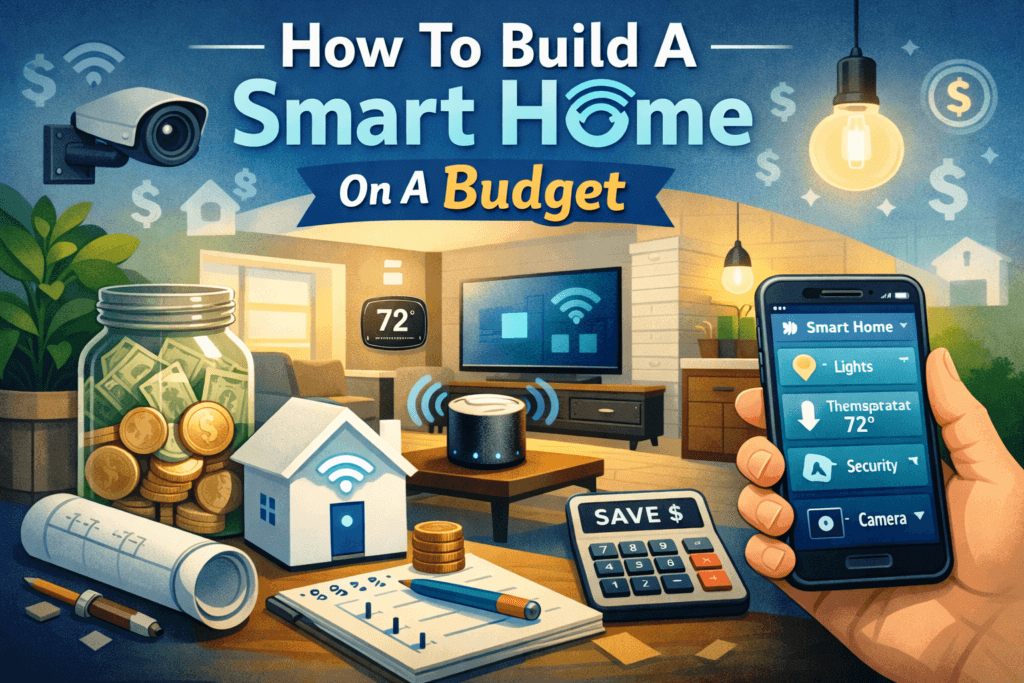
Imagine controlling your home’s lights, appliances, and security from your voice or smartphone all without breaking the bank. In 2025 smart home tech is more affordable and accessible than ever. Devices like smart bulbs, plugs, speakers, and cameras add convenience and safety, and they can even cut your energy bills. For example, replacing old bulbs with smart LED bulbs typically saves at least 75% in energy use. This guide will show how you can get started with affordable smart home gadgets (Wyze, TP-Link, etc.), pick the right voice assistant (Alexa, Google, or Apple), and build your system step-by-step while saving money. You’ll learn budget-friendly options for each category like lighting, plugs, security, thermostats, speakers, hubs and tips on deals and DIY to stretch your dollars.
Smart Lighting on a Budget
Smart LED bulbs are one of the easiest smart upgrades. They screw into your existing fixtures and let you remotely control brightness, color, and schedules for convenience and savings. Popular budget picks include:
1. Wyze Color Bulb
Around $8 to $12 per bulb. Wi‑Fi enabled (no hub needed), supports millions of colors and tuneable white light. Works with Alexa/Google and uses the Wyze app for scheduling.
2. TP-Link Kasa Smart Bulb (KL135)
About $12 High brightness (1000 lumens) with Alexa/Google integration. The Spruce calls the Kasa KL135 “reliable” with “excellent smart home integration”. You can adjust its color temperature automatically throughout the day via routines.
3. Feit Electric Smart Bulb
Only $8 to $10. These bulbs include RGBW LEDs (separate red/green/blue/white diodes) for rich colors and high color accuracy (CRI ~92). The Spruce notes they cost about half as much as pricier bulbs, yet still offer warm/cool white and color scenes. They’re small enough for most lamps.
4. Sengled Smart Wi-Fi LED
Around $10 to $15. A basic tunable white bulb that’s reliable for everyday use. Sengled bulbs pair over Wi-Fi and work with Alexa/Google.
Using smart lighting strategically saves even more. Start by replacing bulbs in high-use rooms (living room, bedroom). You can also mix in smart wall switches or dimmers to control multiple lights while using fewer bulbs. Schedule lights to turn on/off at set times or tie them to sunrise/sunset for energy savings. Create “scenes” or routines (like “Movie Time” dimming the lights) for ambiance. The smart bulbs are all LED (use ~75% less energy than incandescents) and they auto-off on schedule so you never leave lights burning.
Smart Plugs: Cheap Automation for Any Device
Smart plugs let you turn ordinary appliances and lamps into smart devices. They plug into your wall and give any plugged-in gadget app/voice control and scheduling. Top budget choices:
1. Wyze Smart Plug
Very affordable (often 2 for ~$15, so ~$7.50 each). Works with Alexa and Google Assistant (no HomeKit). Includes a handy “vacation mode” that randomly toggles devices to simulate occupancy. The Wyze plug easily integrates with other Wyze devices (bulbs, cameras, locks). Just use the Wyze app to schedule lights or appliances, or say “Alexa, turn on Lamp.”
2. TP-Link Tapo Mini Plug
Also very budget-friendly (2 for $20). The Tapo Mini has Matter support, so it can work with Alexa, Google, or even HomeKit (via a bridge). It’s compact, so you can fit two plugs in one outlet. The Tapo app is simple and lets you set timers and even a vacation mode (lights on/off randomly).
3. Amazon Smart Plug
About $20 for a 2 pack. Pairs seamlessly with Alexa (set it up in seconds from the Alexa app). It has fewer features (no separate app) but is rock-solid if you’re already using Alexa devices.
4. Other Choices
Gosund/Meross/Wemo Wi-Fi plugs are ~$10 each and support Alexa/Google.
Smart plugs are truly plug-and-play (no wiring). After setup, you can use your smartphone or voice to turn any plugged device on/off. This means you could start your coffee maker, control a space heater, or turn off “vampire” devices (like phone chargers) when not in use. In fact, smart plugs can automatically cut power when devices finish charging, eliminating “vampire energy” drain. With 2 pack deals around $15 to $20, you can easily make multiple household outlets smart on a tight budget.
Budget Security: Cameras, Sensors, and Doorbells
You don’t need an expensive system for basic home security.
1. For Outdoor & Indoor Cameras
1.1. Wyze Cam v3
Only $35 (often on sale). It records 1080p HD video day/night (with infrared) and has two-way audio. Security.org praises Wyze cameras: “Wyze may be one of the most affordable camera companies… same features we expect… for a fraction of the cost”. This camera also integrates with Alexa/Google and offers free cloud clips.
1.2. Blink Mini
$30 small indoor camera. It’s wired (via USB) and works with Alexa. It’s very affordable, with optional cloud or local storage. Good for monitoring kids, pets, or as a cheap indoor cam.
1.3. Amcrest or Reolink
Budget 1080p cameras (around $50) that offer local storage (SD card) or cloud. These are larger but often have better optics for outdoor use.
2. For Video Doorbells
2.1. Eufy Video Doorbell E340
Around $90. This battery-powered doorbell has dual cameras (gives a wide view of your porch) and includes 7GB local storage so no monthly fees. It even has color night vision (uses ambient light) for better night footage.
2.2. Ring Video Doorbell Wired
Roughly $70. Works over existing doorbell wiring. It sends live alerts to your phone via Alexa. However, advanced features like person alerts and video history require a Ring Protect plan. (The basic wired model only has 1080p.)
2.3. Wyze Video Doorbell
$35 to $40. A budget pick that records 1080p. It requires subscription for 24/7 recording, but has free cloud recording of motion events.
3. Sensors and Alerts
In addition to cameras, you can add door/window sensors, motion sensors, and even smart locks on a budget. For instance, Wyze Sense offers a starter kit (~$30) with contact and motion sensors and a hub. These sensors can trigger automations (like turning on lights when you open a door at night) or simply alert you via app when a door is opened.
4. Smart Locks
If security is a goal, consider a smart lock retrofit like the Wyze Lock (~$80) or August Smart Lock (~$100). These replace your deadbolt thumbturn and let you lock/unlock via phone or code. Wyze’s own review notes its lock “works with Alexa or Google Assistant… $80, competitively priced”. These let you grant guest access codes and check lock status remotely.
Smart Thermostats and Climate Control
A smart thermostat can pay for itself through energy savings and comfort. They let you control home temperature from anywhere and learn your schedule. Budget options include:
1. Wyze Thermostat
About $50. TechHive praised it as “the best budget-priced thermostat we’ve tested” and notes it’s “less than half the price of the entry-level Nest”. It supports Alexa/Google, and Wyze even bundles the mounting plate and C-wire adapter for easy DIY install. It can learn simple schedules and report energy usage in the app.
2. Ecobee Smart Thermostat Essential
Around $100 to 130. Includes Alexa voice control built-in and supports remote room sensors (sold separately) to avoid hot/cold spots. Works with all major smart assistants.
3. Google Nest Thermostat (battery)
$120 to $130. A simplified version of the Nest Learning Thermostat. It learns some habits and integrates tightly with Google Home. Note: Nest thermostats do not work with Alexa.
Installing a smart thermostat often requires some wiring, but many models include guides for DIY. Once set up, you can save significantly on heating/cooling. In fact, a smart thermostat can reduce HVAC energy use by ~26%, saving about $150 to $300 per year on average. You can also integrate it into automations: e.g. set it to “Eco” mode when you leave home (detected by geofencing or a smart plug turning off). This is one of the most cost-effective upgrades in a smart home.
Voice Assistants: Alexa, Google Assistant, Apple HomeKit
Modern smart homes revolve around a voice assistant or hub. The three big platforms have different strengths:
1. Amazon Alexa
Alexa is the most affordable and flexible ecosystem. An Echo Dot costs only about $40 and acts as a voice-controlled hub. Alexa supports over 100,000 devices from every brand, making compatibility very easy. You can say “Alexa, turn on kitchen light” or “Alexa, set thermostat to 70,” and Alexa will execute it. Pros: largest device compatibility, low-cost entry, and a huge “skill” library for voice apps. Cons: privacy concerns (Amazon servers process voice data) and you need an Alexa account. Overall, reviewers note Alexa’s open system makes it “the most extensive” platform, with a device at every price point. Alexa devices range from the tiny Echo Dot to smart displays (Echo Show) and are often on sale.
2. Google Assistant
Google’s Assistant is very smart and conversational. Devices like the Google Nest Mini (~$50) or Nest Audio speaker understand complex queries and context (thanks to Google’s search technology). Google Assistant works seamlessly with Nest-branded devices and Android phones. It’s great at answering questions, controlling Chromecast media, and handling multi-step commands (“Show me today’s calendar and play music”). Google’s platform tends to have outstanding device compatibility as well, and it now supports Matter for broad smart home control. One potential drawback: some brands (like Ring video doorbells) don’t fully integrate with Google’s system. But if you use Gmail, Android, and Nest cameras/thermostats, Google Assistant feels very natural. Wired magazine notes Google’s ecosystem and Nest devices as top picks for smart speakers and displays.
3. Apple HomeKit (Siri)
Apple’s HomeKit (used via the Home app or Siri) is privacy-focused and works best for people already in Apple’s ecosystem. HomeKit devices must be certified, so there are fewer options, but they offer strong encryption and privacy. A HomePod Mini ($99) or Apple TV can act as a HomeKit hub. HomeKit lets you control everything with Siri (“Hey Siri, lights on”) and set up secure automations. The trade-off is cost: HomeKit-enabled devices tend to be pricier (e.g. a HomeKit hub is $99+) and there are less budget options. As one review notes, “there are far fewer smart home devices that work with HomeKit than with Alexa or Google Home”. However, Apple continues to add more HomeKit-compatible products (millions of new Matter devices are also joining HomeKit).
In practice, Alexa and Google have the cheapest entry devices (Echo Dot, Nest Mini ~$40 to $50) and the widest brand support. Apple’s Siri/HomeKit is great if you have an iPhone or want the tightest security. You can even mix ecosystems (e.g. use Alexa devices for most things and Siri for bedroom lights) via the new Matter standard. Just pick one voice ecosystem to start with it will shape which devices you buy and how they work together.
Smart Home Hubs and Integration
If you want all your devices in one place, consider a hub or a central controller. Many people use their voice speaker as the “hub” (e.g. Echo, Nest, HomePod). Here are some options:
1. Amazon Echo (4th Gen)
This smart speaker has Wi-Fi, Bluetooth, built-in Zigbee radio (for direct pairing of lights/sensors), and even Matter support. It can act as an extender for Amazon Eero Wi-Fi and has a built-in motion/temperature sensor. Tom’s Guide calls it the best all-around hub for Alexa users, and it costs under $100. With the Echo Plus or Echo Show models you get even more ports and features.
2. Samsung SmartThings Hub
If you want true cross-brand control, SmartThings is a popular hub (built into some Samsung TVs/refrigerators too). It supports Zigbee, Z-Wave, and Wi-Fi devices, and works with Alexa and Google. This is good if you have gear from multiple brands.
3. HomePod Mini
For HomeKit fans, the HomePod Mini (about $99) doubles as a HomeKit hub. It has temperature and occupancy sensors, and the Siri smart assistant. It’s pricier than others but also a high-quality speaker.
4. Hubitat Elevation or Home Assistant (DIY)
For tech enthusiasts, local-run hubs like Hubitat (around $120) or software like Home Assistant (free) give ultimate control and privacy. These can automate virtually anything but require more setup. Hubitat, for example, supports Zigbee/Z-Wave and runs automation on your LAN (no cloud needed).
The good news: you don’t have to worry much about compatibility nowadays. Most smart devices can talk to each other via Wi-Fi, Zigbee, Z-Wave, or the new Matter standard. You simply decide what platform you like (Amazon, Google, Apple, or Samsung), and most devices in that ecosystem will “just work.” As Tom’s Guide summarizes, Alexa is often the best hub for most people due to its huge device support and ease of setup. Google Home hubs are a strong choice if you use Nest devices and Google services, while SmartThings or Home Assistant are for those needing an agnostic system across many brands.
Step by Step Beginner Plan
To avoid feeling overwhelmed, follow a gradual, small-scale plan:
1. Choose a Voice Assistant/Hub
Start with a smart speaker or display (Echo Dot, Nest Mini, or HomePod Mini) as your central brain. For about $40 to 50, you immediately gain voice control and a hub for other devices.
2. Automate a Light or Outlet
Pick one or two entry devices: maybe replace one lamp with a smart bulb or plug in a smart plug to a lamp. This usually costs $20 to $50 You’ll get a feel for voice commands (“Alexa, turn on the lamp”) and simple scheduling.
3. Add More Lighting and Plugs
Once you’re comfortable, expand lighting throughout high-traffic areas (kitchen, living room) and turn more appliances on smart plugs. This is still low cost ($5 to 15 per device) but dramatically ups the “smart” feel of your home.
4. Security Basics
In the next phase, add a budget camera or video doorbell. For example, a Wyze Cam ($35) or Wyze Video Doorbell ($35) gives you real-time monitoring and alerts on your phone. This might happen in “Month 2 to 3” as your budget allows.
5. Climate Control
In a few months, consider a smart thermostat. Install the Wyze Thermostat ($50) or Nest Thermostat ($120). This costs more ($100 to $200) but yields the biggest savings on utility bills.
6. Scale Up Gradually
Over time, add extras like smart locks, additional sensors, or multi-room speakers. Use routines and automations as you go. By breaking it down (lighting first, then security, then HVAC), you can afford it and learn step by step.
GearBrain advises starting with a few essentials and learning as you go. This avoids spending on gadgets you don’t need, and keeps your setup flexible (you can switch ecosystems later if you want). Remember, you don’t need to automate everything at once. A starter pack (Echo Dot + 2 smart plugs + 2 bulbs) might cost around $150. You’ll already enjoy voice control and the satisfaction of a more efficient, convenient home.
Money-Saving Tips and Tricks
Stretching your budget means shopping smart and DIY:
1. Wait for Deals
Big sales events can cut prices 30 to 50%. Watch for Black Friday, Cyber Monday, Prime Day, or back-to-school sales. For instance, Amazon and TP-Link often bundle starter kits or discount older models heavily on sale days.
2. Buy Refurbished
Many manufacturers (Wyze, Nest, etc.) and retailers (Amazon Renewed) sell factory-refurbished units at 20 to 40% off. These are tested and certified like new. For example, a refurbished Echo Dot or Nest Mini can save $10 to $15.
3. Starter Bundles
Look for kits that combine devices cheaply. Sometimes you can buy a starter kit of smart bulbs or a camera + sensor pack for less than purchasing items separately.
4. DIY Installation
Most smart gadgets are plug-and-play or come with app-guided setup. Install them yourself to save on labor costs. (If wiring is needed like a smart switch or thermostat you can often handle it carefully with tutorials or hire help only for that one task.)
5. Choose One Ecosystem
Stick mainly to one assistant (Alexa or Google or Siri) so you don’t double up on hubs. Mixing too many platforms can mean buying redundant hardware. Matter compatibility is improving, but for now picking one primary system (or one smart hub that supports multiple standards) is most cost-effective.
6. Use Open-Source or Repurposed Tech
If you’re tech-savvy, free platforms like Home Assistant let you build advanced automation without subscription fees. You can even turn an old Android phone or tablet into a control panel or security camera (using free IP camera apps).
7. Energy Habits
Automate power-saving routines. For example, use a smart plug to turn off your TV/game console overnight. Smart thermostats learn your schedule and turn off heat/AC when away. As noted, just swapping old bulbs for smart LEDs (and scheduling them) starts saving immediately. Even simple habits, like having lights auto-shutoff at bedtime, add up.
By combining sales, bundles, DIY and smart energy use, you can build a powerful smart home setup for well under $500. (In fact, analysts find a basic system can cost as little as $150 to $500 total, depending on devices.)
Conclusion
You don’t need a huge budget to enjoy the perks of home automation. By starting small, choosing budget-friendly devices, and taking advantage of deals, you can transform your home on a shoestring. Voice control, scheduling, and remote monitoring will soon feel like second nature and your energy bill will thank you. Smart home technology has “democratized” to the point where premium features come at affordable prices. So pick one smart plug or bulb and start playing with your first automation. Before you know it, you’ll have an intelligent, cozy home that fits your budget, not the other way around.
Frequently Asked Questions
What is the cheapest way to start a smart home?
The cheapest starting point is usually one voice assistant speaker (or using your phone as the assistant) plus a single smart plug or smart bulb. A smart plug is often the best first purchase because it can automate an existing lamp or appliance without replacing anything.
Which assistant is best for a budget smart home: Alexa, Google Assistant, or Apple HomeKit?
Alexa is typically the most budget-friendly because the hardware is often discounted and device compatibility is broad. Google Assistant is excellent if you already use Android and Google services and want strong voice understanding. Apple HomeKit is attractive for Apple users who prioritize privacy and seamless iPhone integration, but device choice can be more limited and sometimes more expensive.
Can I mix brands like Wyze, TP-Link, Tapo, Ring, and others?
Yes, you can mix brands, but you should select one “main” ecosystem (Alexa, Google Home, or Apple Home) and only buy devices that explicitly support it. This prevents headaches with devices that can’t be controlled in the same app or through the same voice commands.
Is Wi-Fi the best option for a budget smart home?
Wi-Fi is best for getting started because you can often skip a hub. The downside is that too many Wi-Fi devices can strain weaker routers. If you plan to scale to dozens of devices, Zigbee/Z-Wave (often hub-based) can be more stable.
What internet speed do I need for a smart home?
Smart plugs, bulbs, and sensors use very little bandwidth. Cameras and doorbells are the big bandwidth users, especially if they upload video to the cloud. Your upload speed matters more than download speed when you rely on cloud video storage.
How do I keep a budget smart home secure and private?
Use a strong Wi-Fi password, enable WPA2/WPA3, turn on two-factor authentication for your smart home accounts, and keep device firmware updated. Also review app permissions and consider local storage for cameras if you want to reduce cloud exposure.